
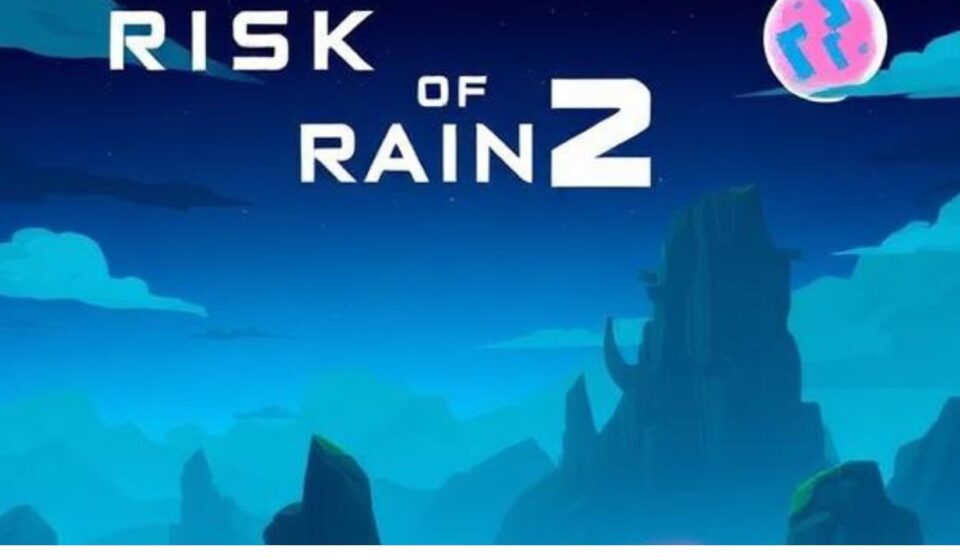

You’ve just unlocked a god-tier item combo in Risk of Rain 2. Your damage is stacking, the screen is a glorious explosion of particle effects, and you’re slicing through the hordes like a hot knife through butter. But there’s a problem—your friend, who just bought the game, is stuck on another platform, and you want to share the victory.
You hit the “Invite” button, but… nothing. Silence. Or worse, an error message.
It’s a scenario that has frustrated gamers for years. The hunt for the perfect multiplayer setup is as chaotic as the game itself, and crossplay often feels like a secret boss you just can’t beat. For a game that thrives on chaos and co-op, being isolated is a specific kind of pain.
The good news? The landscape changed in late 2024 for PC players. The bad news? It’s still a mess out there for console survivors. This guide breaks down everything you need to know about Risk of Rain 2 crossplay in 2026 so you can finally get your squad together.
Table of Contents
ToggleBackground: The Crossplay Conundrum
For years, Risk of Rain 2 operated in a bubble. There was basically no official crossplay. The game was released on PC, PlayStation 4, Xbox One, and Nintendo Switch, but these “ecosystems” rarely mixed.
Why? Technical hurdles. The game’s code base differs between PC and consoles. Updates often roll out to PC first, creating version mismatches that break lobbies. Plus, Sony, Microsoft, and Nintendo have historically been hesitant to open their walled gardens to one another. For a long time, you were stuck playing with whomever was on your specific box.
Then, in late 2024, a new patch changed the game—at least for PC users.
Main In-Depth Sections
The Current Landscape (2026)
Let’s cut the fluff. Here is the exact status of Risk of Rain 2 crossplay.
The Good News: PC Crossplay is officially supported.
The Bad News: There is no PC-to-console crossplay.
The PC Connection (Steam & Epic Games Store)
In late 2024, Risk of Rain 2 arrived on the Epic Games Store. To allow these new survivors to play with their friends, Gearbox Publishing implemented crossplay via Epic Online Services (EOS).
-
How It Works: This system allows Steam and Epic Games Store users to share lobbies.
-
Opt-in System: The crossplay feature is opt-in. This means you must manually turn it on. If you leave it off, you will only see lobbies created by other Steam users who also have it off.
-
Linking Accounts: To make inviting friends easier, you can link your Steam and Epic accounts in the in-game options menu. This syncs your friend lists across platforms.
Critical Caveat: This is PC-only. If you are on Steam, you can play with someone on Epic. That is where the connectivity ends.
The Console Situation: PS5, Xbox Series X, Switch, and Last-Gen
This is where things get tricky, especially with recent announcements.
1. PlayStation & Xbox (Current Gen vs. Last Gen)
For the longest time, PS4 and PS5 players could play together because the PS5 was essentially running the PS4 version in backwards compatibility mode. The same went for Xbox One and Xbox Series X/S.
However, this is changing.
In January 2026, 2K Games announced that they will cease releasing future content for “Gen 8” consoles (Xbox One, PS4, and Nintendo Switch).
The direct impact on Crossplay? Cross-gen play is ending.
-
PS4 vs. PS5: With the next console update, PS4 players will no longer be able to play with PS5 players.
-
Xbox One vs. Series X/S: Similarly, Xbox One players will be split from Series X/S players.
Important: This change will only occur when the next update for PlayStation and Xbox arrives. Until that patch drops, cross-gen play is still functional. If you plan on sticking with the game, upgrading to a PS5 or Series X/S will grant you the current-gen version of the game (including your DLC) at no extra cost.
2. Nintendo Switch
The situation here is bleak for variety. The Nintendo Switch version is isolated. There is no crossplay with any other platform, including PC or Xbox/PlayStation. Switch players can only play with other Switch players.
What About Cross-Save/Cross-Progression?
No, Risk of Rain 2 does not support cross-progression.
Unlocks, achievements, and character progress are tied to the specific platform you are using. If you unlock The Commando’s alternate abilities on Steam, you must unlock them again if you buy the game on PS5.
The only exception is the one-time save import from PS4 to PS5, which is available because the game offers a free upgrade.
Practical Tips: How to Enable Crossplay
If you are on PC and want to team up with an Epic Games Store friend, here is the step-by-step guide:
-
Open Settings: Launch Risk of Rain 2 on Steam or Epic.
-
Navigate to Options: Go to the in-game “Options” menu.
-
Enable Crossplay: Toggle the Crossplay setting to ON.
-
Restart: You will usually need to restart the game for the changes to take effect.
-
Link Accounts (Optional): If you want to invite cross-platform friends quickly, look for the “Link Account” button in the options menu. A browser window will prompt you to link Steam and Epic Games.
-
Invite Friends: You can now use the Lobby ID, invite them via the Epic overlay, or send an in-game invite to linked friends.
Remember: Both players must have Crossplay enabled to see each other’s lobbies. If one has it off and the other has it on, they are essentially in different matchmaking pools.
Common Mistakes and Challenges + Solutions
Challenge 1: “I can’t see my Steam friend’s lobby after enabling Crossplay.”
Solution: They probably haven’t enabled it yet. Remind them to go into their options, toggle Crossplay ON, and restart the game. If you have it enabled and they don’t, you won’t see their game.
Challenge 2: “My friend on Xbox One can’t join my Xbox Series X lobby.”
Solution: This is a forward-looking problem. As of early 2026, this should still work. However, when the “next update” arrives, it won’t. If this happens, you will need to upgrade to the same generation of hardware or play separate lobbies.
Challenge 3: “My friend on PC says they don’t see the Crossplay toggle.”
Solution: The crossplay toggle is only available on PC (Steam and Epic). Console players do not have this toggle because crossplay is not supported with other console families or PC. If you are on PS5 and they are on PC, you cannot play together. Period.
Pros, Cons, and Balanced Analysis
The Verdict: Is Risk of Rain 2 truly Cross-Platform?
To be honest, not really.
| Feature | Status | Analysis |
|---|---|---|
| PC (Steam & Epic) | Supported | This works well. It is a massive win for PC players. |
| PC to Console | Not Supported | Dealbreaker for many. If you have a PC gamer and a PS5 gamer, you are out of luck. |
| PlayStation (4 to 5) | Ending Soon | Currently works via backwards compatibility, but will end with the next update. |
| Xbox (One to Series) | Ending Soon | Currently works, but ending with the next update. |
| Nintendo Switch | Not Supported | Absolutely no crossplay with anyone else. |
| Cross-Progression | Not Supported | You start from scratch on each platform. |
The Unspoken Issue: The decision to drop PS4/Xbox One support is a big blow to the community. It fragments the player base right when the game could have benefited from a unified experience. While it allows developers to create better, more complex content, it feels bad for players left behind on older hardware.
Future Trends and Predictions
Where is Risk of Rain 2 heading?
1. The End of the “Gen 8” Era
The announcement in January 2026 is the biggest sign of change. The developers are moving on. By focusing on PC, PS5, and Xbox Series X/S, the game can handle more complex calculations and effects.
Prediction: We will likely see a significant content drop exclusively for current-gen systems later in 2026 or 2027, which will finally give players a reason to upgrade.
2. Will Full Crossplay Ever Happen?
The developers are aware of the demand, but the hurdle is significant. Console manufacturers demand rigorous certification processes, and PC updates happen much faster.
Prediction: It is unlikely we will see PC-to-console crossplay for Risk of Rain 2 unless there is a massive overhaul of the multiplayer netcode or a “Definitive Edition” is released. The current development trajectory suggests they are prioritizing features over platform parity.
3. Modding and Crossplay
The PC modding scene is huge. Crossplay (via Epic Online Services) theoretically complicates this, as mods can cause desyncs. The opt-in system might be a way to quarantine modded users, but we can expect official mod support to become a topic of discussion as the devs aim to unify the PC community.
Conclusion: The Key Takeaways
Risk of Rain 2 is fantastic, but its crossplay is a patchwork.
-
If you are on PC (Steam or Epic), you are in luck. Turn on the Crossplay toggle in the options menu, link your accounts, and you can play with anyone on PC.
-
If you are on PS5 or Xbox Series X/S, you can play with your friend on the same brand of console. You cannot play with those on last-gen, PC, or rival consoles.
-
If you are on PS4, Xbox One, or Switch, you are siloed. You are stuck playing with people on the exact same console. Furthermore, your time to play with PS5/Series X players is running out.
The Golden Rule: Before you buy the game, agree on a platform. If your friend buys it on Steam and you buy it on PS5, you will never play together. Always check the platform first, then the game.
Quick Summary / Key Takeaways Box
-
PC Crossplay: Steam and Epic Games Store users can play together.
-
No PC to Console: You cannot play between PC and any console (PlayStation/Xbox/Switch).
-
Cross-Gen Ending: PS4/PS5 and Xbox One/Series X/S crossplay will end with the next console update.
-
No Cross-Progression: Achievements and unlocks do not transfer.
Detailed FAQs
Q: Is Risk of Rain 2 cross-platform between Steam and Epic?
Yes. In late 2024, Epic Online Services enabled crossplay. Both players need to enable the Crossplay setting in the Options menu.
Q: Is Risk of Rain 2 cross-platform between PC and Xbox?
No. PC players cannot connect with Xbox players.
Q: Is Risk of Rain 2 cross-platform between PlayStation and Xbox?
No. PlayStation and Xbox players cannot connect to each other in Risk of Rain 2.
Q: Can PS4 and PS5 play Risk of Rain 2 together?
Currently, yes, because the PS5 runs the PS4 version via backwards compatibility. However, 2K Games announced in January 2026 that cross-gen support will end with the next PlayStation update.
Q: Does Risk of Rain 2 have cross-progression?
No. Progress, unlocks, and achievements are local to the platform you are playing on. You cannot transfer saves between platforms (except for a one-way PS4-to-PS5 upgrade).
Q: How do I enable crossplay in Risk of Rain 2?
On PC, launch the game, go to the “Options” menu, and toggle the “Crossplay” setting to “On”. Then restart the game. You can also link your Steam and Epic accounts in the same menu to invite friends more easily.
Sources
-
2K Support. “Risk of Rain 2: Crossplay and You, An Epic Tale.”
-
2K Support. “Risk of Rain 2: The Future of Risk of Rain 2 on Gen 8 Consoles.”
-
Eneba. “Is Risk of Rain 2 Cross‑Platform?”
-
Rec0deD:88. “Is Risk Of Rain 2 Cross Platform In 2026?”
-
PlayStation. “Risk of Rain 2.”

admin
M Umer Abbasi is a luxury lifestyle journalist and editorial curator specializing in haute horology, passion investments, and avant-garde design. With an eye for flawless craftsmanship and heritage storytelling, he deconstructs the world of high-ticket assets—from secondary watch market trends to the evolution of bespoke tailoring. His work focuses on shifting the luxury narrative away from fleeting trends and toward timeless design, raw materials, and true artisanship.