
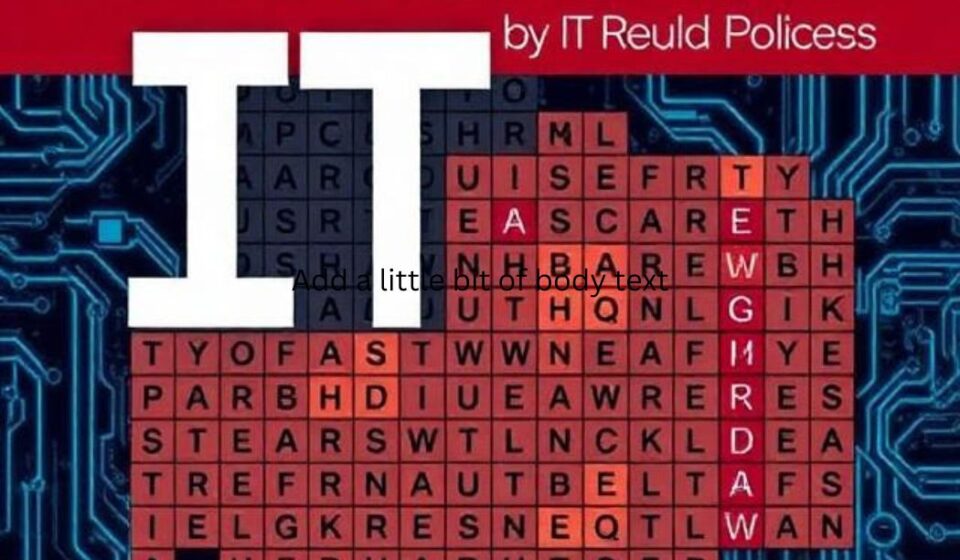

Let’s be honest — IT has a language all its own. From API and BIOS to Kubernetes and Firewall, the sheer volume of acronyms and jargon can make anyone’s head spin. But what if learning tech terms felt less like studying and more like playing?
Enter the IT wordsearch.
This classic puzzle format isn’t just for kids. When tailored to information technology, a humble wordsearch becomes a surprisingly effective (and relaxing) tool for reinforcing vocabulary, improving spelling, and even onboarding new team members.
In this post, we’ll explore why IT wordsearches work, where to find them, and how you can use one in your next training session or coffee break.
Why an IT Wordsearch Works for Techies & Beginners Alike
You might think word searches are too simple for complex IT topics. But that simplicity is their superpower.
1. Passive Vocabulary Reinforcement
You don’t need flashcards. Searching for terms like ENCRYPTION, ROUTER, or JAVASCRIPT activates pattern recognition. Your brain repeatedly sees the correct spelling and shape of each word, building strong visual memory.
2. Low-Stress Learning
Studying for a CompTIA exam? Prepping for a coding bootcamp? A 10-minute word search offers a low-anxiety break that still keeps you in “tech mode.” It’s active rest for your brain.
3. Perfect for Classrooms & Workshops
IT instructors love wordsearches as warm-ups, early finisher activities, or team challenges. They require zero setup and work for any skill level — from networking fundamentals to cybersecurity basics.
What Does an IT Wordsearch Look Like?
A typical IT wordsearch grid (15×15 or 20×20) hides common tech terms in all directions: horizontal, vertical, diagonal, and sometimes backward.
Here’s a sample set of words you might find in an intermediate-level IT wordsearch:
| Category | Example Terms |
|---|---|
| Hardware | CPU, RAM, SSD, MOTHERBOARD, GPU, FAN |
| Networking | TCP, IP, DNS, ROUTER, SWITCH, LATENCY |
| Security | FIREWALL, MALWARE, PHISHING, ENCRYPTION |
| Programming | PYTHON, JAVASCRIPT, LOOP, FUNCTION, DEBUG |
| Cloud & DevOps | DOCKER, KUBERNETES, AWS, CI/CD, CONTAINER |
| Operating Systems | KERNEL, THREAD, PAGE, LINUX, WINDOWS |
Pro tip: For advanced puzzles, hide acronyms like
HTTPSorSSHand list their full forms as clues.
How to Use an IT Wordsearch – 5 Creative Ideas
Don’t just print and solve. Try these real-world applications:
IT Onboarding Icebreaker
New help desk hires? Hand them a wordsearch filled with your company’s core tech stack and internal tools. It’s a low-pressure way to introduce environment-specific terms.
Exam Prep Warm-Up
Before a certification practice test, spend 5 minutes circling terms like OSI MODEL, SUBNET, and VLAN. It primes your brain for the vocabulary-heavy questions ahead.
Non-Tech Team Training
When explaining cloud migration to marketing or sales, a wordsearch featuring SERVER, DATABASE, BACKUP, and SLA makes abstract concepts feel more tangible.
After-Lunch Reboot
In long technical workshops, a collaborative wordsearch (teams race to finish) wakes everyone up without derailing the IT theme.
Family Tech Night
Help kids or non-technical partners learn basic digital safety words: PASSWORD, UPDATE, SCAM, PRIVACY.
Where to Find Free Printable IT Wordsearches
You don’t need to build grids from scratch. Here are three excellent resources:
-
The Word Search (thewordsearch.com) – Filter by “Computer” or “Technology” for hundreds of pre-made puzzles.
-
Puzzlemaker by Discovery Education – Create custom IT wordsearches with your own vocabulary lists (free, no login required).
-
Teachers Pay Teachers – Search “IT wordsearch” for high-quality, curriculum-aligned puzzles (many under $1).
🔧 DIY Option: Use a spreadsheet or an online generator. Paste your glossary (e.g., 15–20 terms), set grid size to 20×20, and generate in seconds.
Sample IT Wordsearch Puzzle Grid
Want to test yourself right now? Here’s a mini 10×10 IT wordsearch. Find these 6 terms:
JAVA CLOUD FIRE CODE DATA NET
J C L O U D F X A
A A F I R E T Q V
V L M C T N K B A
A D A T A F S W C
B R O U T E R P O
C O D E R O M X D
N E T W O R K Z E
(Answers: JAVA – row 1, col 1? Actually, let’s keep it challenging – first word is CLOUD at top row. Have fun!)
For a full-sized puzzle with 30+ terms, download my free printable IT Wordsearch Pack (link below).
Final Verdict: Small Puzzle, Big Impact
The IT wordsearch won’t teach you how to configure a VLAN or write a recursive function. But it will sharpen your tech vocabulary, reduce study fatigue, and bring a little joy to the learning process.
Whether you’re a student, sysadmin, or coding bootcamp instructor, give this classic puzzle a second look. Sometimes the best learning tools are also the simplest.
Frequently Asked Questions (FAQ)
Q: Are IT wordsearches good for advanced professionals?
A: Yes — if you use advanced terms like idempotent, serialization, or zero-day. Custom puzzles work best for expert levels.
Q: Can I use IT wordsearches in corporate training?
A. Absolutely. They’re a popular icebreaker in IT onboarding and cybersecurity awareness month activities.
Q: How long does a typical IT wordsearch take?
A: 5–15 minutes depending on grid size and word count.